Creating shifts
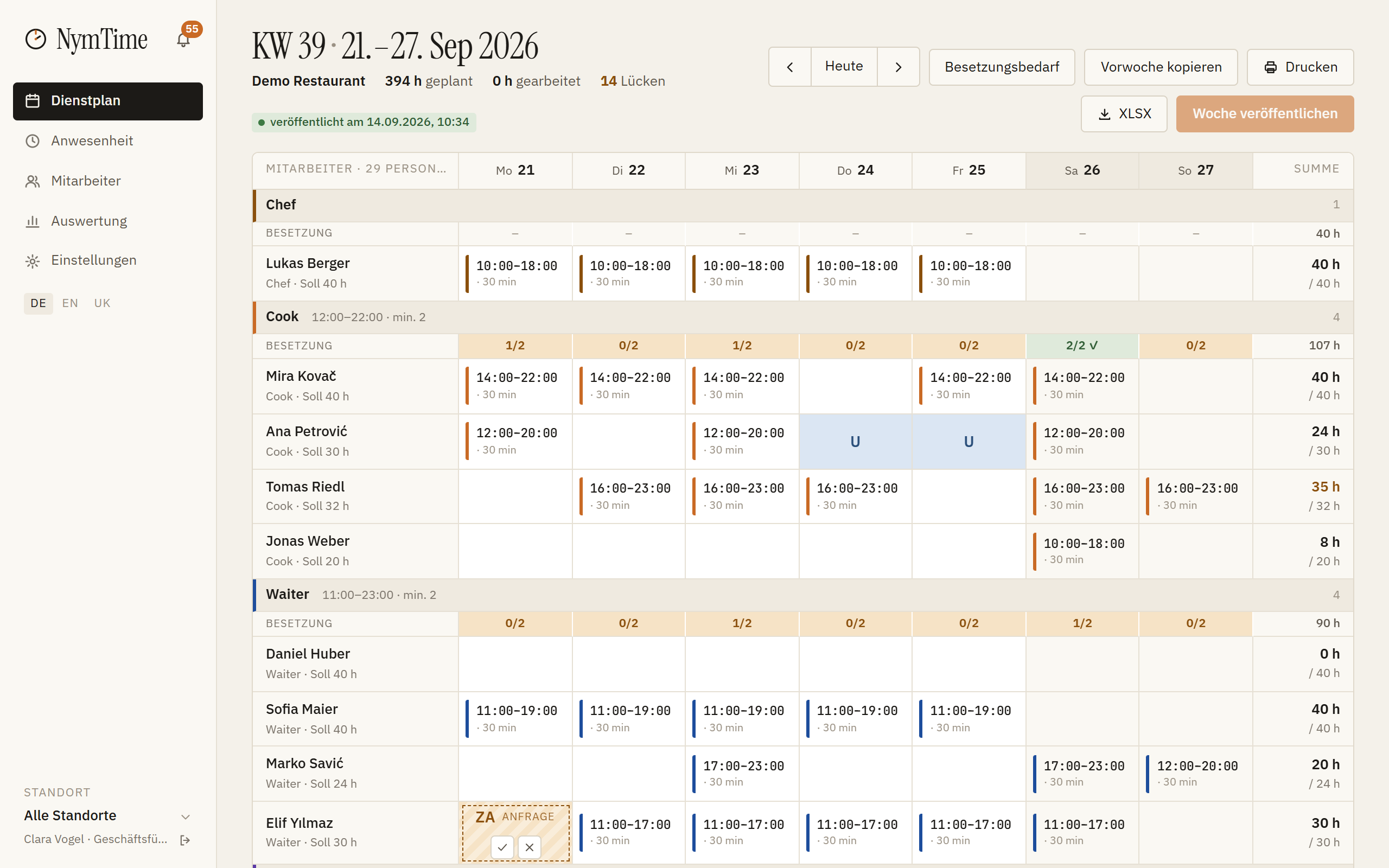
In the rota you click the cell made of employee and day and enter from and to. Shifts can be dragged onto another day with the mouse.
Copying the previous week
«Copy previous week» takes last week's plan over as drafts. Absences of the new week are respected.
Checking staffing
Above every role group stands the staffing per day, for example 2/2. If someone is missing, the number is flagged — that is the moment to fix it.
Publishing
«Publish week» turns every draft into a valid shift and shows it in the app. The deadline of 14 days before the week starts is noted in the page header.
Printing
«Print» produces a notice-board view for the wall, «XLSX» the week as an Excel file.